Morse Machine

Just click in the page and type or press the "Mic" button and talk: the Morse code will be played to you instantly!

If you want to see the dots and dashes, share your message or save the audio then use the Morse Code Translator.

Message
|


Please note that the speech recognition system may send the audio from your microphone to e.g. Google, Apple or Microsoft's servers for processing.

The speech recognition does not work in all browsers. It may work in Chrome, Safari and Edge. In Chrome on mobile phones, the mic gets turned off frequently by the phone and this page will turn it on again (if you've pressed the button): unfortunately this results in a lot of bleeping.

This Morse Machine was inspired by the HAL DKB-2010 CW/RTTY keyboard. You can find a short demo video below:
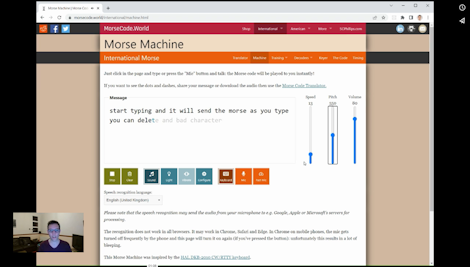
Morse Machine demonstration

Advanced Controls

"CW Radio Tone" is the modern beep sound used in radio; "Telegraph Sounder" is the original clicky noise mostly used with American (not International) Morse.


Pitch in Hz. A high number makes a high pitched sound. 550 is a good value.


Volume from 0 to 100.


The character speed in words per minute, taking 'PARIS ' as the standard word.


The Farnsworth speed adjusts the space between letters and words, making it easier to learn Morse. It can't be higher than the character speed.

The "Latin" alphabet is e.g. "ABC" (and includes accented characters). All the alphabets translate into dots and dashes with standard timing.

Welcome back

There have been some updates since you were last here:

    If you are able and willing to support further development, please...

    ♥︎ Donate

    Change Log

      Theme

      Page Colour Scheme Choice