The CW Academy Morse Code Trainer is designed to help students learn the characters of the Morse code alphabet. It is used in the CW Academy beginner training program.
The trainer shares some features with the other Morse Code World training tools, they are described separately:
- Morse Controls (Timing) — character speed, Farnsworth speed and pitch.
- Playback Controls — playback styles, the Build Up and Speed Racer modifiers, and the six-stage playback sequence.
- Settings Import/Export — saving, loading and sharing your settings, and how to write your own settings links.
Practice Content
The “Practice Content” section lets you choose what messages you will practice:
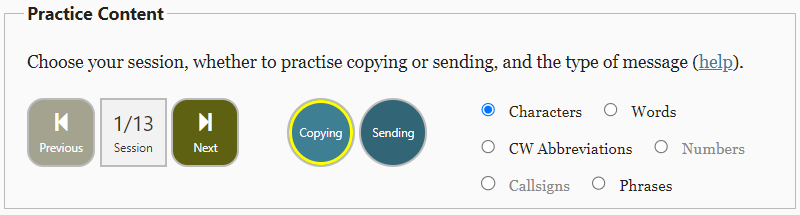
The “Session” number (with left and right arrows) refers to sessions 01 to 13 in the CW Academy’s Beginner CW training program.
The “Copying” and “Sending” buttons pre-set program parameters for either copying or sending practice.
There is a choice of six types of message (though not every type is found in every session):
- “Characters” can be letters, numbers, punctuation, or pro-signs based on the session chosen.
- “Numbers” will be from 0 to 9 based on the session chosen.
- “Words”, “CW Abbreviations” and “Callsigns” are composed of the Characters based on the session chosen.
- “Phrases” are short sentences composed of the characters and words based on the session chosen.
Message
The current message is placed into the “Message” box.
- “(Show)” will display the message that is being played.
- “(Hide)” will mask (gray out) the message being played.